Step-by-Step Guide
How to Delete Your Account in the App
1
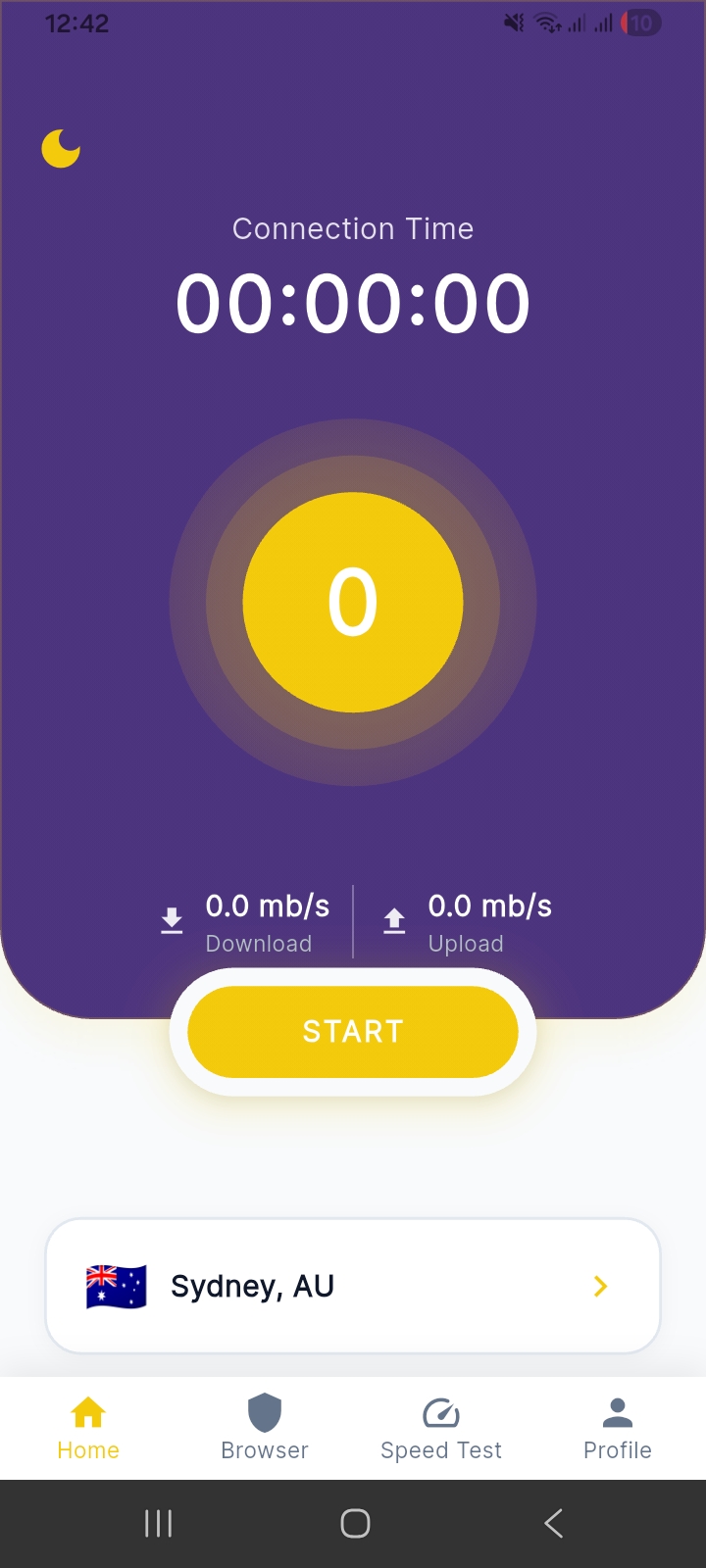
Open LumenVPN App
Launch the LumenVPN app on your device. You'll see the Home screen with your connection status and server location.
2
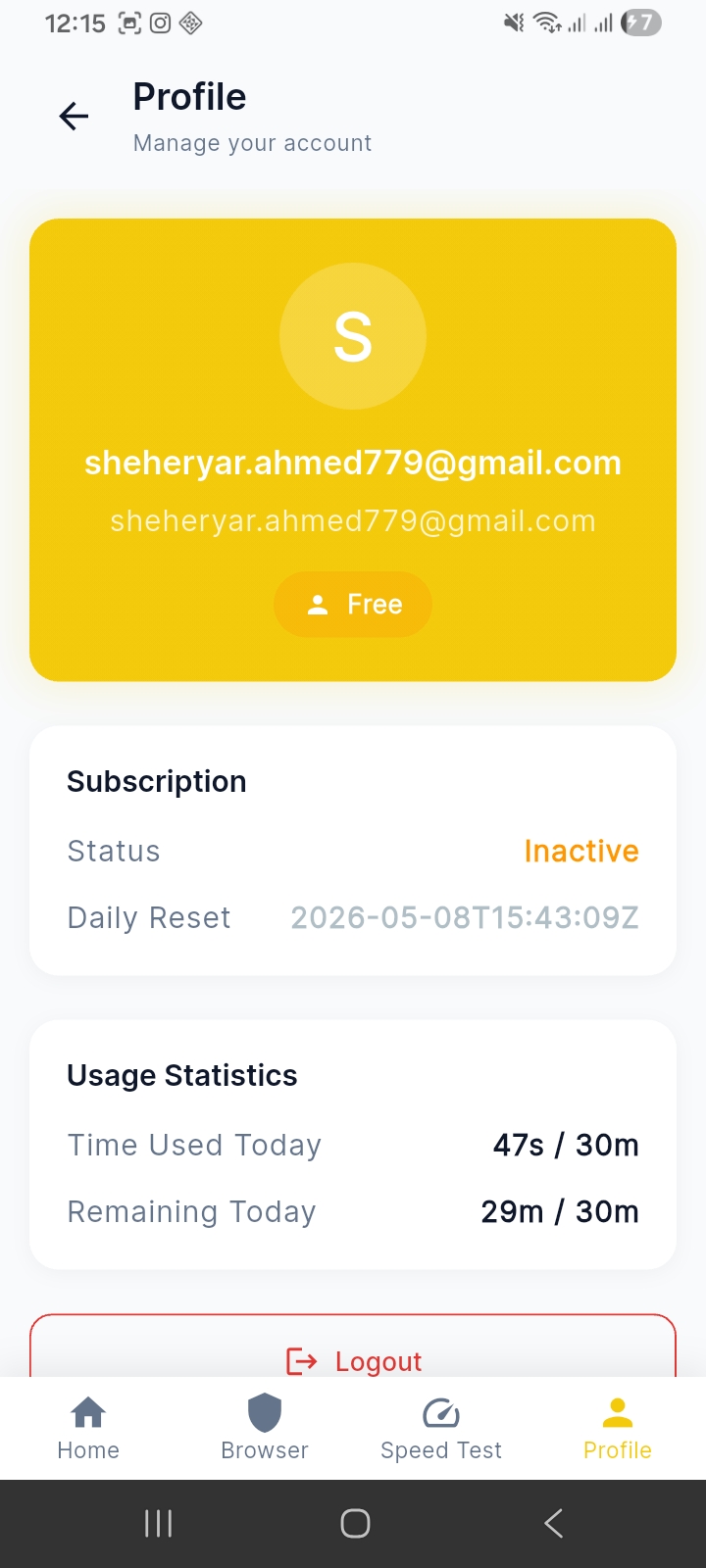
Go to Profile Tab
Tap the Profile icon in the bottom navigation bar to open your account page with subscription and usage details.
3
Tap Delete Account
Scroll down on the Profile page until you see the Delete account button. Tap it and confirm to permanently delete your account.
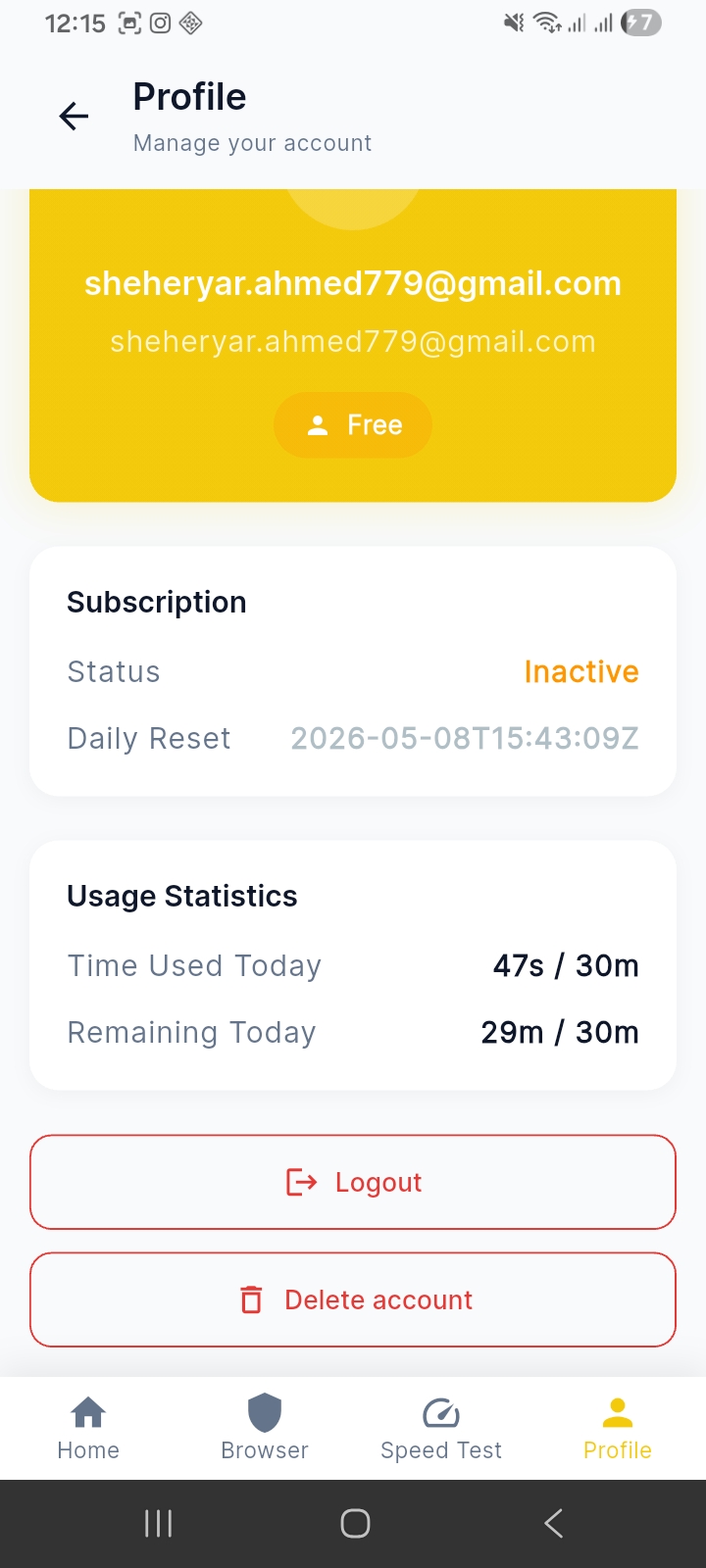
⚠ Permanent action. You will be asked to confirm inside the app. Your account is deleted immediately upon confirmation.